
Note: Settings can take up to 24 hours to apply.
Summary
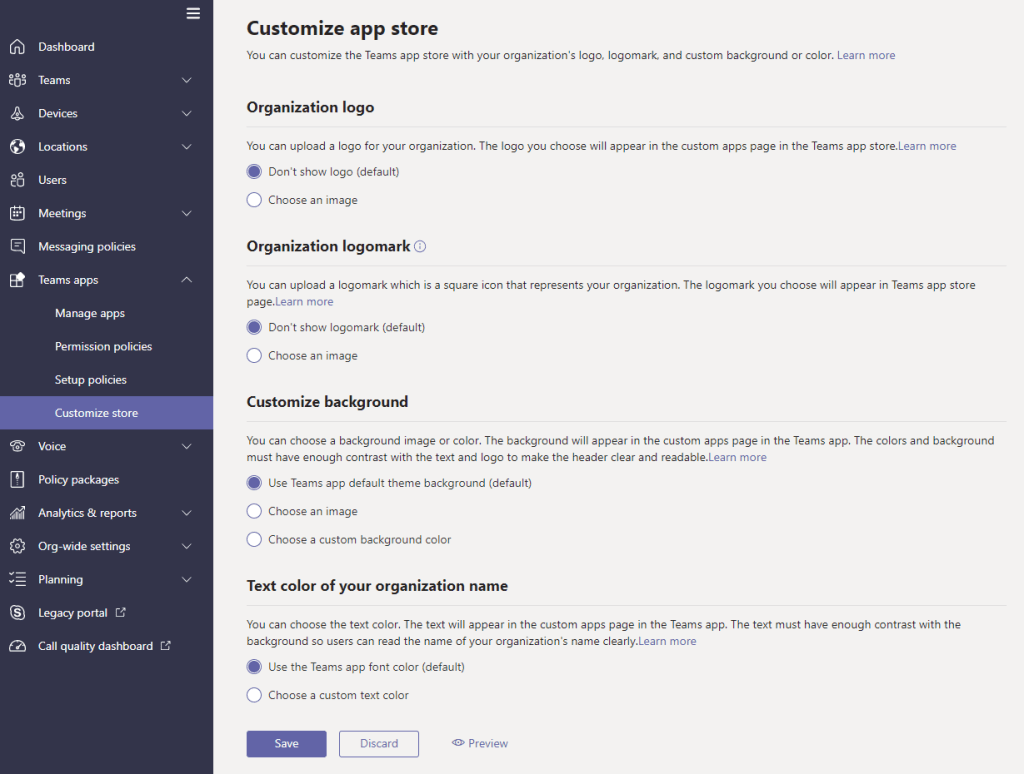
This setting will allow an organisation to customise the look and feel of the Teams app store (aka the Teams app catalogue) to a limited degree.
Settings
The customize store policy is located in the Teams admin center -> Teams apps -> Customize store. This is a global setting and applies to all users. 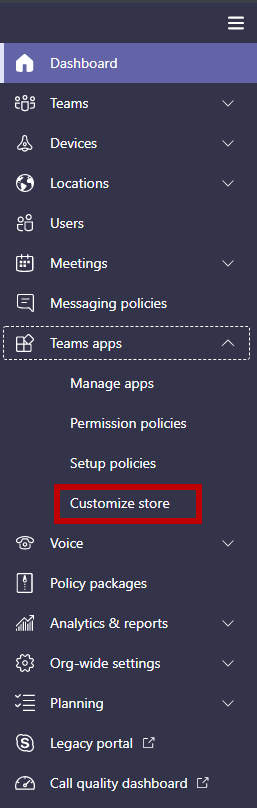
The following customisation settings are currently available:
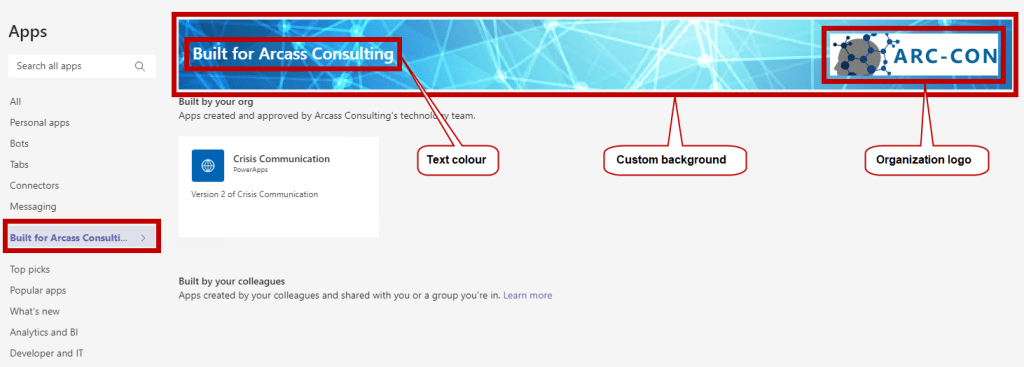
| Customise organisation logo | The logo should be 240×60. It should be no larger than 5 MB. Supported file formats: .svg .png .jpg |
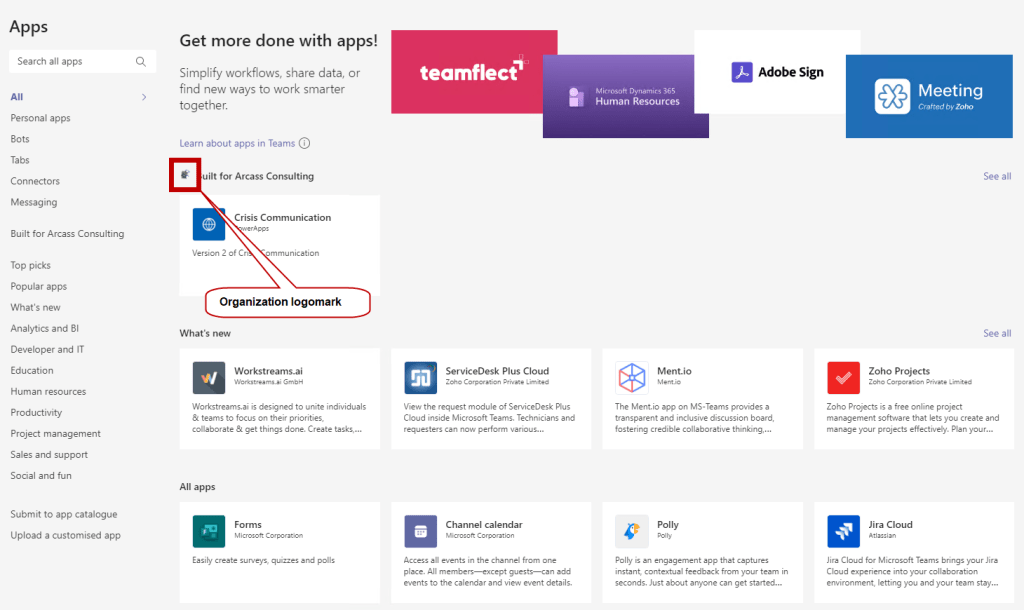
| Customise small logo | The logomark should be 32×32 pixels. It should be no larger than 5 MB. The supported formats are: .svg .png .jpg |
| Customise the background colour | For choose a picture: The background should be 1212×100 pixels. It should be no larger than 5 MB. The supported formats are: .svg .png .jpg |
| Customize the text colour of your name | Select a colour using the MS colour picker. |
What it looks like to an end user
Microsoft reference:
https://docs.microsoft.com/en-us/MicrosoftTeams/customize-your-app-store
 Unified Communication Explored